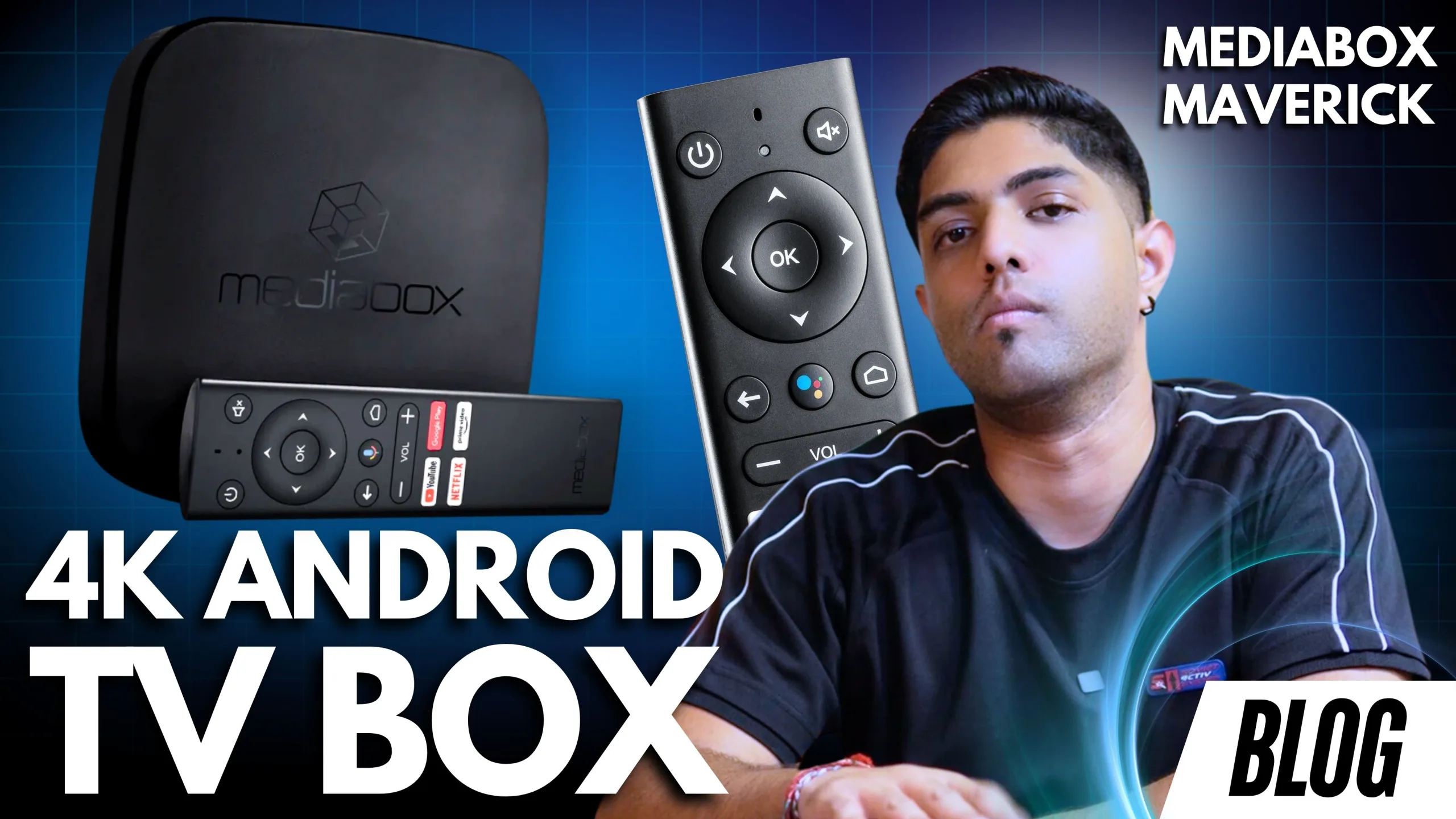
Maverick 4K Android TV Box Review: The Best Way to Upgrade Your TV in 2025

Is your smart TV starting to feel… not so smart? Or maybe you’re still stuck with a standard TV and looking for a budget-friendly way to stream Netflix, YouTube, Showmax, and more? Introducing the MediaBox Maverick 4K Android TV Box – an affordable, powerful streaming solution designed with South Africans in mind.
With 4K HDR playback, Google certification, and support for all your favorite streaming apps, the Maverick 4K could be the decoder replacement you’ve been waiting for.
What Is the MediaBox Maverick 4K?
The Maverick 4K Android TV Box by MediaBox is a compact yet powerful device that turns any regular TV into a feature-rich smart entertainment hub. Whether you want to stream Netflix, YouTube, DSTV, Showmax, or Prime Video, this box handles it all – in crystal-clear 4K HDR quality.
Unlike cheaper smart boxes or streaming sticks, this box is Google-certified. That means seamless app access and support for Google Assistant voice control – a rarity at this price point.

What’s in the Box?
When you unbox the Maverick 4K, here’s what you’ll find:
- Maverick 4K media box unit
- Bluetooth voice remote with Google Assistant support
- HDMI cable
- Power adapter
- Quick start guide
- 2x AA batteries
The remote is especially impressive – larger than most and ergonomically designed with dedicated buttons for YouTube, Netflix, Google Play, and Prime Video.

Specs
| Video Output | Resolution: Up to 4K Ultra HD @ 60fps HDR: Yes Dynamic Contrast: Not Available Refresh Rate: 60Hz |
| Audio | Dolby Audio |
| Body | Compact & sleek matte black |
| Ports | 1 x HDMI 2 x USB (for storage, accessories) AV Out Ethernet Optical Audio Power |
| Wireless Connectivity | Bluetooth 5.0 |
| Processor | Quad-Core Cortex A53 |
| RAM | 2GB RAM |
| Storage | SLC NAND Flash, eMMC 50, SD, SPI NOR/NAND |
| OS | unspecified |
| Certifications | Google TV, Netflix, Prime Video |
| Bonus Features | Chromecast built-in Voice Assistant via Google Assistant |
Easy Setup via Mobile
Setting up the Maverick 4K is a breeze, especially when using your smartphone. You simply say “Set up my device” on your Android phone, match the pin, and the system syncs your Google account automatically. No need to fumble with the remote or type everything in manually.

Why Choose a Streaming Box Over a Streaming Stick?
Streaming boxes like the Maverick 4K offer much more than your average HDMI stick:
- More ports for Ethernet, USB drives, or audio output
- Better performance and app compatibility
- Expandable storage options
- A complete Android TV interface instead of limited OS versions
This makes the Maverick perfect not just for media streaming, but also for turning older TVs into smart hubs for any age group – from students to retirees.
Who Is the Maverick 4K For?
- Students in res needing Netflix, YouTube, and study-friendly apps
- Families wanting kids’ content or DSTV Now
- Seniors who want a user-friendly smart TV upgrade
- Content creators sharing videos with loved ones
- Anyone cutting the DSTV cord and looking for a flexible entertainment hub

Price & Where to Buy
The Maverick 4K is available at a competitive price:
- Retail Price: R1,699
- Promo Price: As low as R1,399 (check for deals!)
Available from:
- MediaBox.co.za
- Takealot
- Incredible Connection
- HiFi Corp
- Vodacom
- Other major SA retailers
Pros and Cons
Pros
- Google certified for Netflix, Prime Video, DSTV & more
- Built-in Chromecast and Google Assistant
- 4K HDR streaming with Dolby Audio
- Expandable storage and multiple ports
- One-time purchase, no subscription needed
- Easy setup with mobile integration
Cons
- Limited internal storage (but expandable via USB)
Final Verdict: Is the Maverick 4K Worth It?
Absolutely. For under R1,500, the Maverick 4K Android TV Box is one of the best value-for-money smart streaming devices available in South Africa. It’s reliable, versatile, and packed with the power of Android TV – no subscriptions, no headaches, just smart entertainment.