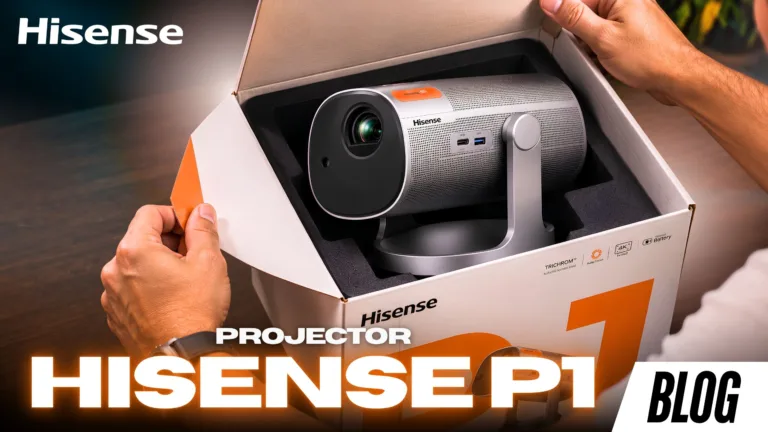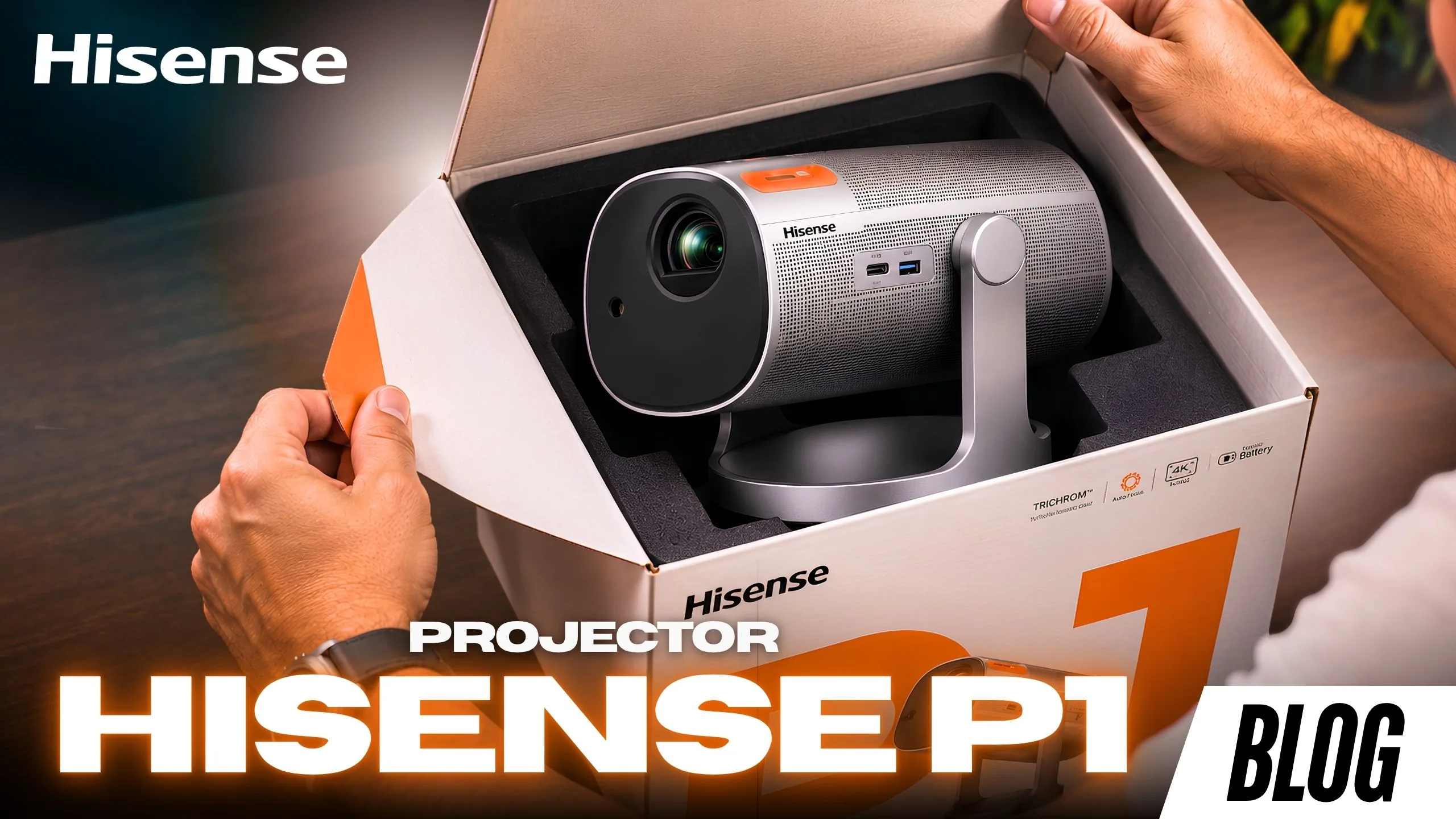
Imagine turning almost any wall, bedsheet or even the side of a tent into a massive 115-inch screen. No complicated mounting, no permanent installation and, thanks to a built-in battery, no need to be constantly connected to a power outlet. That’s exactly what the Hisense P1 Portable Laser Projector promises. Built around what Hisense calls Pop-Up Play, the P1 combines RGB triple laser technology, a portable folding design, a built-in battery and smart entertainment features into one compact package.
But can a portable laser projector really replace your living room TV or entertainment setup? We spent time testing the Hisense P1 to find out whether it delivers on its promises and, more importantly, whether it’s worth its R17,999 price tag in South Africa.
Hisense P1: What’s in the Box?
When purchasing the Hisense P1, you get everything you need to get started:
- Hisense P1 portable laser projector
- Power adapter
- Remote control
- Documentation and paperwork
- Carry Bag
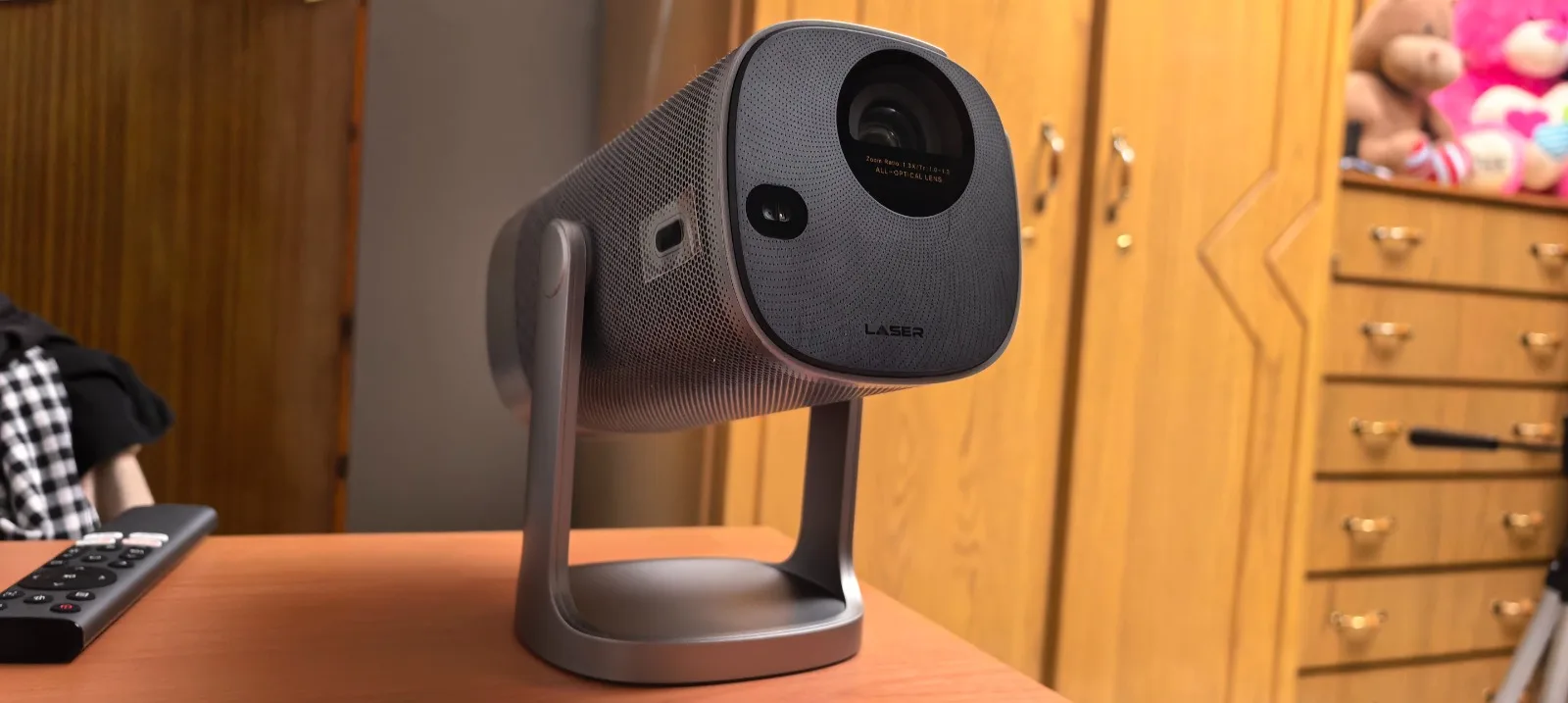
One of the first things you’ll notice is its folding design. The projector folds down into a compact, almost pill-shaped form, making it considerably easier to transport and store. Weighing approximately 2.1kg, it’s surprisingly manageable for a projector that includes its own battery. You can easily pack it into a bag and take it to a friend’s house, a games night or even your next outdoor gathering. The included carry bag makes transportation even easier, with carrying options that allow you to take it along without having to worry about bulky equipment.
Specs
| Display | Light source: RGB Triple Colour Laser, rated for up to about 25,000 hours Resolution: Full HD (1920×1080) Brightness: 1,000 ANSI lumens Screen size: up to 150 inches, with optical zoom HDR support: HDR10 and HLG |
| Weight | 2.1KG |
| Battery | Battery: built in, up to about 2.5 hours (per the Australian launch) |
| OS | Smart OS: VIDAA U9, with Xbox app support on compatible VIDAA OS versions |
| Connectivity | Connectivity: Wi-Fi 5, Bluetooth 5.1, HDMI, USB, AnyView Cast |
| Audio | Integrated 7W speakers |
| Setup | Auto Magic AI Adjusting 3.0 (autofocus, keystone correction, obstacle avoidance) |
| Apps | Netflix Prime Video Apple TV DStv Plus Spotify YouTube eVOD SABC Plus DStv Now |
Design and Build Quality: Built for Portable Entertainment
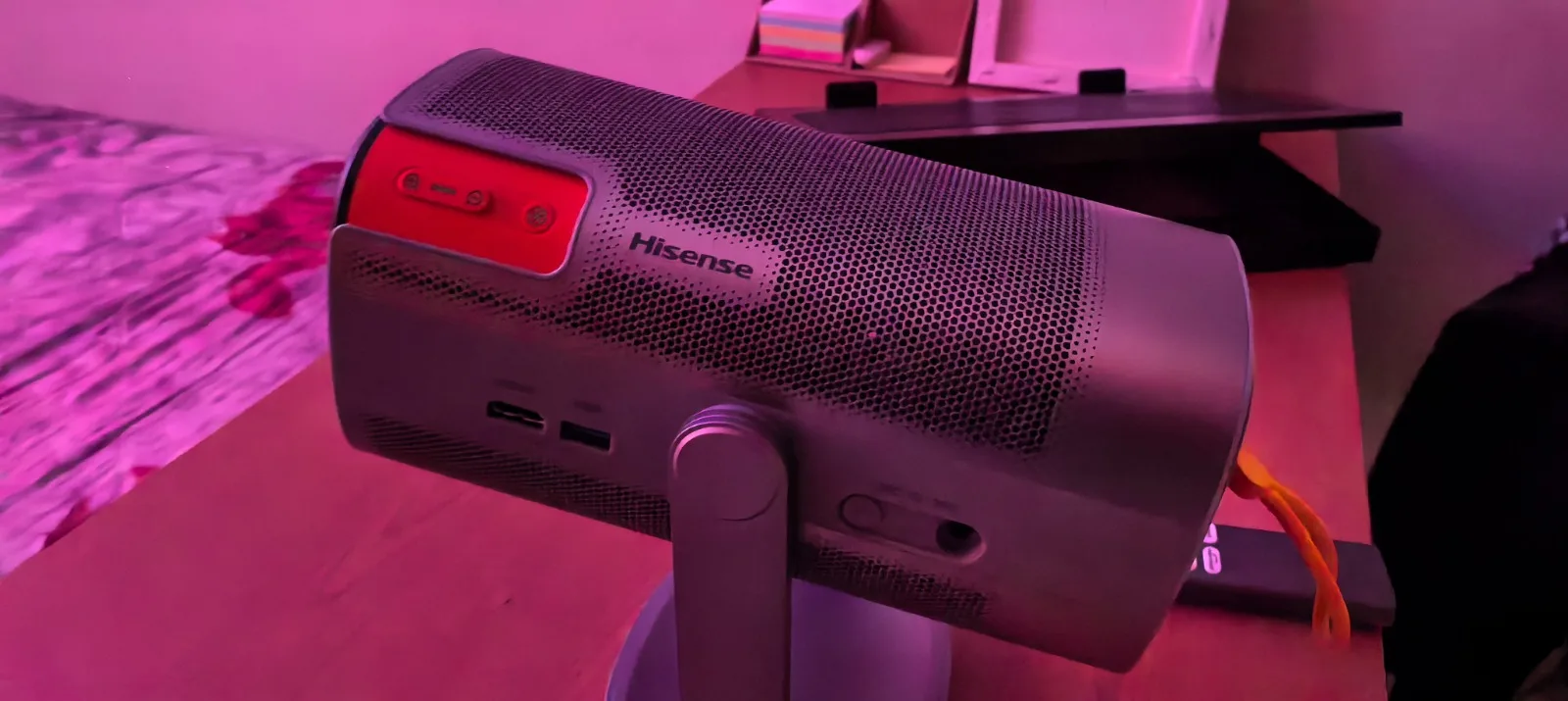
Despite its portable nature, the Hisense P1 feels solid and well-built. The unit has ventilation around its body, along with a cooling fan at the back to help manage operating temperatures. During our testing, the projector did run fairly hot, which is something worth keeping in mind. Around the projector, you’ll find:
- An infrared receiver at the front.
- A front-facing projection lens.
- A zoom adjustment control.
- A smart gallery button.
- A full-size HDMI port.
- A USB 3.0 port.
- A 19V DC power input.
- A power button.
One of the most interesting design features is the rotating mechanism. Hisense says you can spin the P1 to suit your environment, allowing you to adjust its angle and orientation without constantly picking up and repositioning the entire unit. Whether you’re projecting onto a wall, ceiling, bedsheet or another suitable surface, the flexible design makes it easy to find the right viewing position. It’s particularly useful when you’re moving between different rooms or setting up an outdoor movie night.
A Backlit Remote Control That Gets the Details Right
The included remote is another welcome addition. It offers dedicated controls for power, input selection, menus, voice control and screen adjustments. There are also quick-access buttons for popular streaming platforms, including:
- Netflix
- YouTube
- Prime Video
- Disney+
What we particularly liked is the backlit design. Since projectors are generally used in darker environments, having an illuminated remote makes a noticeable difference. You don’t have to struggle to find the right buttons when watching a movie at night. The remote also has a premium feel, with a brushed-aluminium-style finish on the front and a plastic back. It has a bit of weight to it, which adds to the overall impression of quality.
Setting Up the Hisense P1 Is Surprisingly Easy
One of the biggest selling points of the Hisense P1 is how little effort it takes to get started. Simply unfold the projector, position it where you want it, and power it on.3Because the battery is built in, you don’t need to immediately worry about finding a power outlet. Once powered on, the projector performs its initial setup and automatically adjusts the image, including keystone correction and zoom. You can also manually adjust the image size using the controls on the projector itself. Another impressive feature is its automatic image correction. If you move the projector or something obstructs part of the projection, the P1 detects the change and adjusts the image accordingly. This makes it particularly convenient for temporary setups where the projector might need to be repositioned. The overall experience is simple: unfold, position, power on and enjoy.
RGB Triple Laser Technology: Why It Matters
The headline feature of the Hisense P1 is its RGB triple laser technology. Unlike many projectors that use a white light source and filters to produce colours, the P1 uses three separate lasers:
- A red laser.
- A green laser.
- A blue laser.
Each laser produces its respective colour directly rather than relying on filters to separate colours from a white light source. The benefit is improved colour reproduction, richer saturation and less colour shift. Hisense claims the P1 achieves 110% BT.2020 colour coverage. This is a particularly ambitious specification, considering BT.2020 is a very wide colour space.
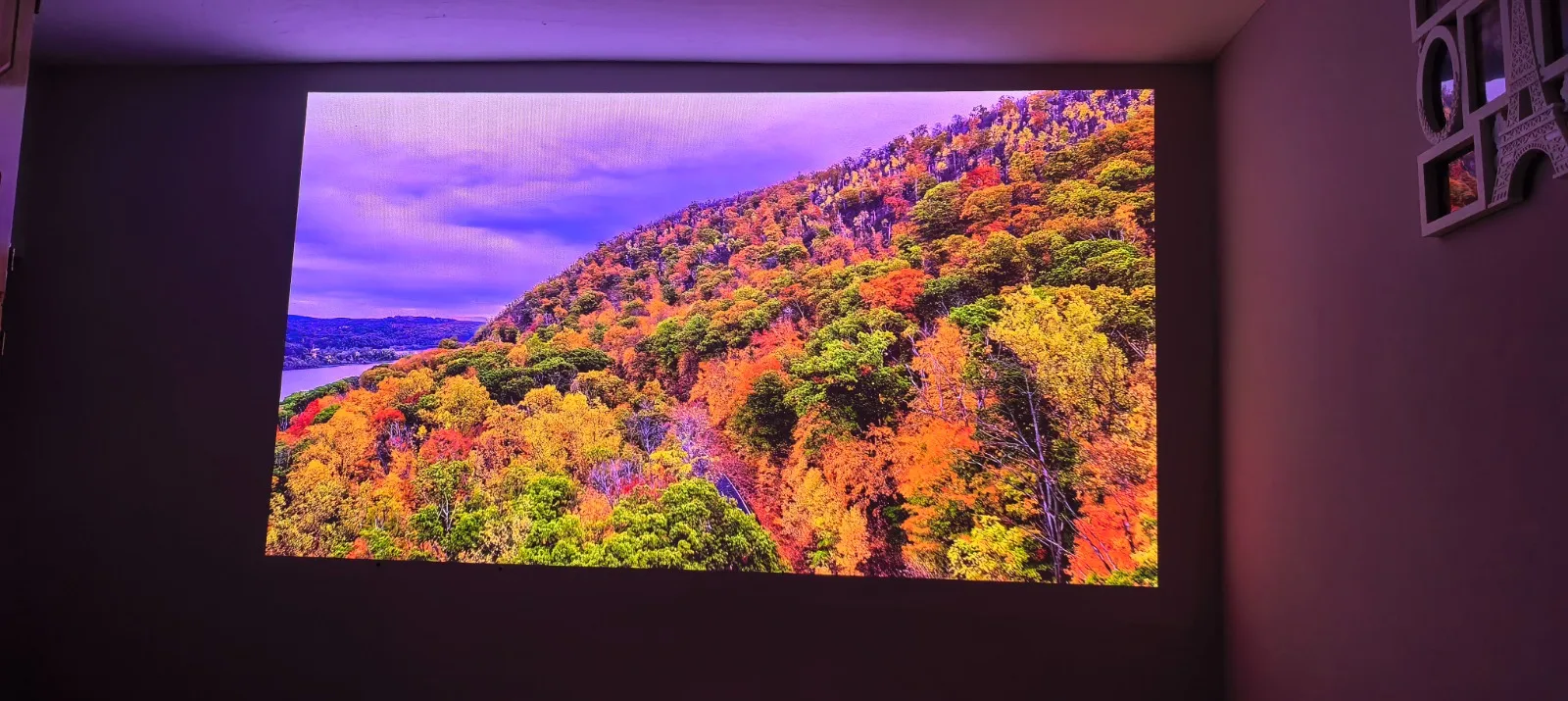
Of course, manufacturer specifications are one thing. Real-world performance is what matters. During our colour testing, the P1 delivered rich, punchy colours without making everything look unnaturally saturated. Greens and reds stood out particularly well, while skin tones remained natural rather than appearing overly orange or waxy. The projector also supports HDR10 and HLG. At 1,000 ANSI lumens, however, you shouldn’t expect the same HDR impact you’d get from a premium television. In a sufficiently dark room, the picture is enjoyable, and the RGB laser technology helps deliver an impressive viewing experience.
Picture Quality and Brightness: Best in a Dark Room
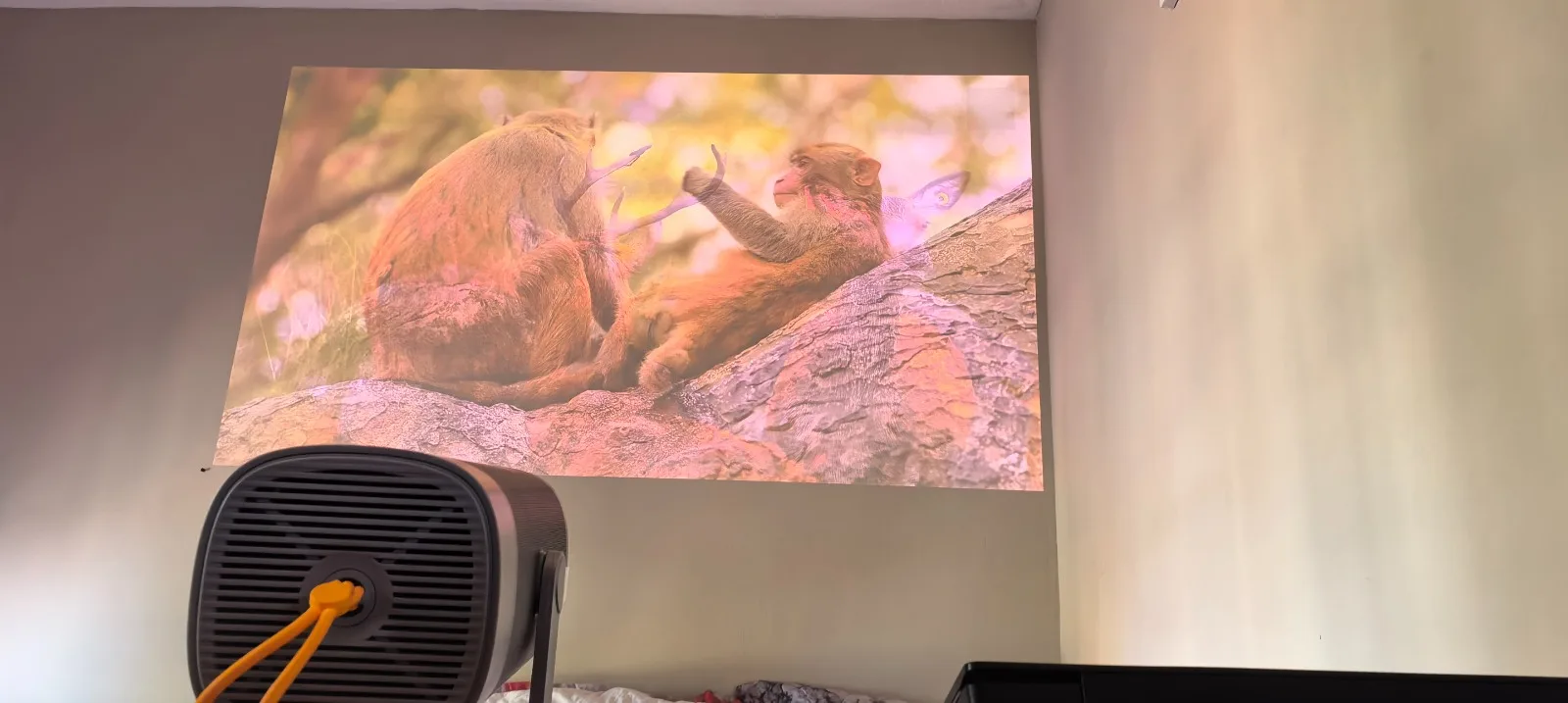
The Hisense P1 offers 1,000 ANSI lumens of brightness. On paper, this is relatively modest compared with many home entertainment projectors. In practice, the viewing environment makes a significant difference. In a darker room, the P1 produces a colourful and cinematic image, especially when projecting at over 100 inches. However, introducing more ambient light noticeably affects the picture.
With the room lights switched on, the image becomes slightly washed out. At dusk, it’s still watchable, but you lose some of the contrast and colour impact. During daylight, particularly in a bright room or outdoors under strong lighting, the experience becomes considerably less impressive.
For evening entertainment, though, the projector performs much better. Think backyard movie nights, camping trips, evening rugby matches or watching Formula 1 outdoors. These are the environments where the Hisense P1 makes the most sense.
Black Levels and Contrast
Black levels are an area where projectors generally struggle, and the Hisense P1 is no exception. Dark scenes don’t have the same depth you’d get from an OLED television. Blacks appear brighter, and contrast performance is naturally affected by the surrounding light.
That said, the results are more than acceptable for casual movie nights, especially when using the projector in a darker environment. It’s important to remember that the P1 isn’t trying to compete with a premium cinema-grade projector or OLED television. Its biggest advantage is bringing large-screen laser entertainment into a genuinely portable form. Check out our full testing in the Youtube Review
Gaming on the Hisense P1
The Hisense P1 isn’t just for movies and streaming. It also supports the Xbox app on compatible Vidaa OS 9.6 and higher software, allowing you to stream games using a controller.
Alternatively, you can connect a gaming console through HDMI. For casual gaming, social gaming sessions and party games, the large projected image makes for an enjoyable experience. However, if you’re a competitive gamer who prioritises responsiveness and precision, a dedicated gaming monitor remains the better choice. The P1 is best viewed as a fun, large-screen gaming option rather than a replacement for a dedicated competitive gaming display.
Is the Hisense P1 a Good Replacement for Your TV?
This is where things get interesting. Can the Hisense P1 replace your living room television? Honestly, not for everyone. If you’re planning to use it as your only TV in a bright living room, the 1,000 ANSI lumens of brightness will be a limitation. Even with its impressive RGB triple laser technology, it can’t overcome strong ambient light in the same way a conventional television can. However, as a second screen or a portable entertainment solution, it makes considerably more sense.
It’s ideal for:
- People renting smaller apartments or homes.
- Families looking for an additional entertainment screen.
- Outdoor entertainers who enjoy backyard movie nights.
- Campers who want portable entertainment.
- People who want a large screen without permanently mounting a television.
- Anyone who enjoys taking their entertainment setup to friends and family.
The ability to create a screen of over 100 inches almost anywhere is genuinely appealing. And because the projector has its own battery, setup is considerably easier than with a traditional projector.
Hisense P1 Price in South Africa
The Hisense P1 Portable Laser Projector retails for R17,999 in South Africa. You can purchase it through Takealot or your nearest Hirsch’s store.
For a portable projector offering RGB triple laser technology, a built-in battery, smart streaming capabilities and automatic image correction, it’s an interesting option for anyone looking to expand their entertainment setup.
Hisense P1 Pros and Cons
What We Like
- RGB triple laser technology delivers rich, vibrant colours.
- Compact folding design makes transportation easy.
- Built-in battery provides up to 2.5 hours of claimed playback.
- Automatic keystone correction and image adjustment make setup simple.
- Flexible rotating design supports different projection positions.
- Vidaa OS includes popular streaming applications.
- Bluetooth 5.1 support for external speakers.
- Long-lasting laser light source rated at approximately 25,000 hours.
What Could Be Better
- 1,000 ANSI lumens is relatively modest for bright environments.
- HDR performance doesn’t match premium televisions.
- Built-in 7W speakers lack bass and volume for larger gatherings.
- Battery life isn’t sufficient for longer movie marathons.
Final Verdict: Is the Hisense P1 Worth Buying?
The Hisense P1 is an interesting take on portable home entertainment. Its biggest strength isn’t that it can replace every television in your home. Instead, it’s the convenience of having a large, colourful projection system that you can take almost anywhere.
The RGB triple laser technology delivers impressive colour reproduction, the automatic setup makes getting started incredibly easy, and the built-in battery removes the need to be constantly connected to a power outlet. There are compromises, of course. The brightness is limited in daylight, the built-in speakers are fairly basic, and the battery isn’t designed for hours of continuous movie watching.
But that’s not really what the P1 is about. If you’re renting a small space, enjoy outdoor entertainment, regularly host friends or simply want a portable way to create a massive screen, the Hisense P1 makes a compelling case for itself. At R17,999, it’s not necessarily the replacement for your main living room TV. But as a portable entertainment system that brings a backyard cinema experience almost anywhere, it’s certainly worth considering.